Built for modern
docs teams
Everything you need to create, publish, and maintain world-class documentation.
Create with confidence
A powerful editing experience designed for both technical and non-technical users.
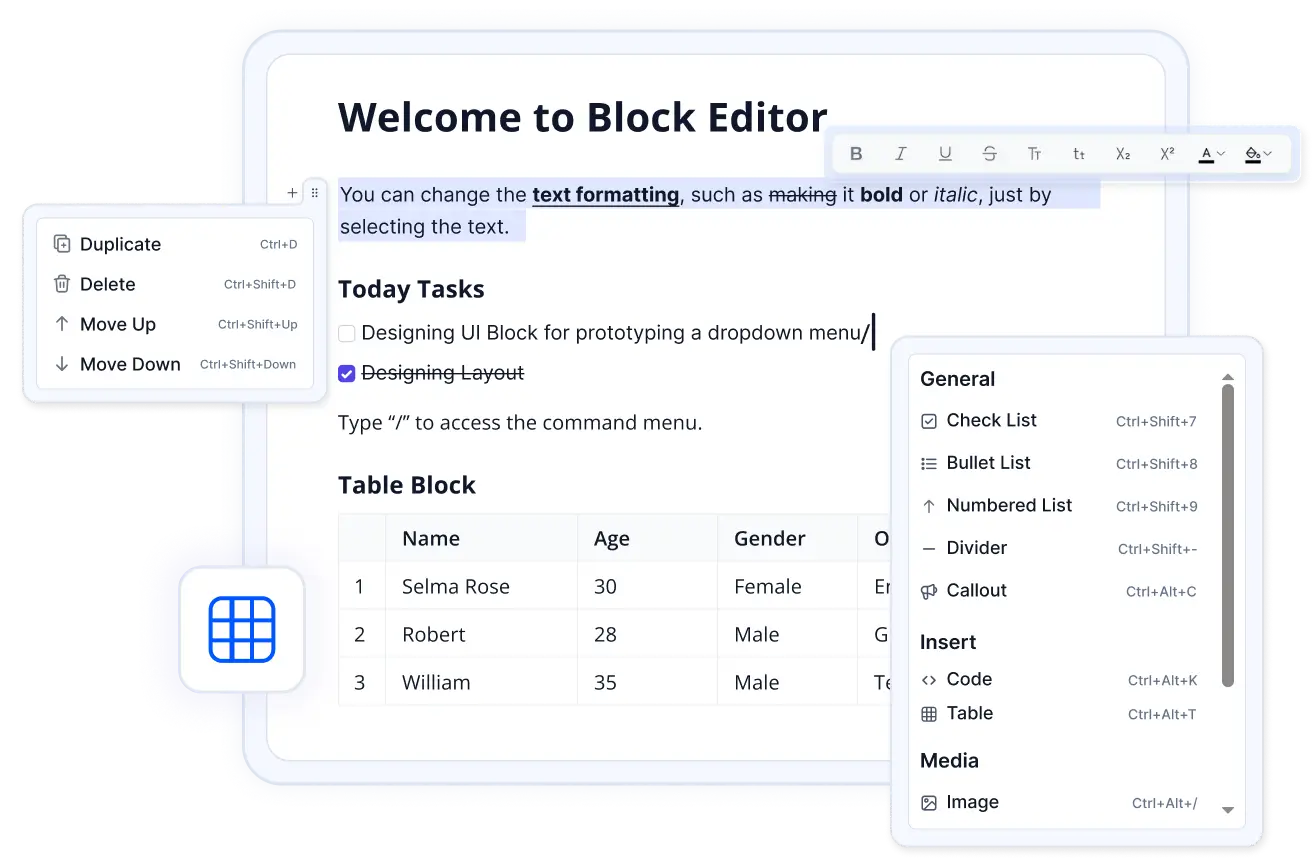
A best-in-class editing experience
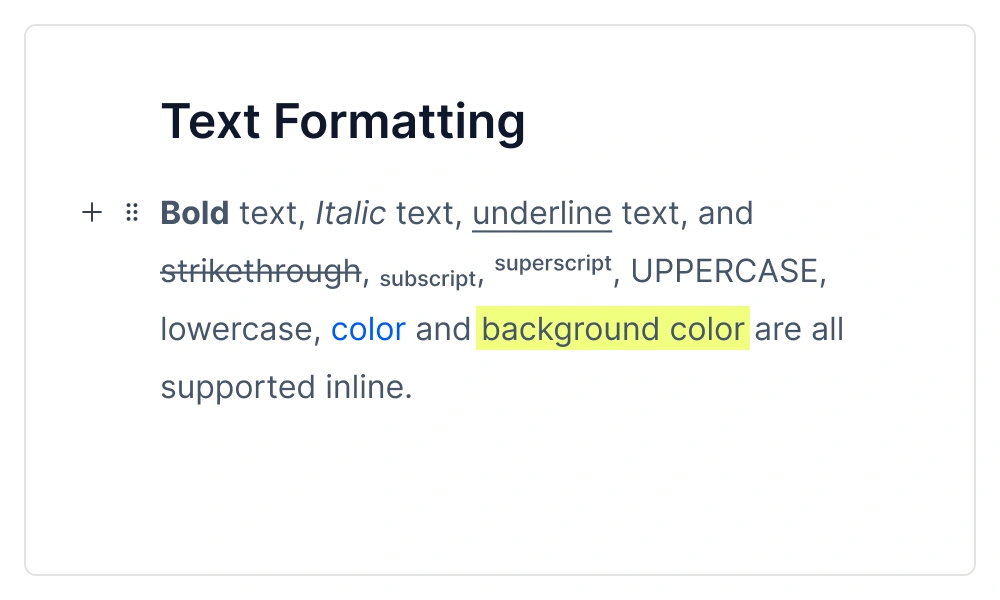
A rich editing experience with support for headings, code blocks, callouts, tables, images, and embedded content. Write in Markdown or use the visual editor.
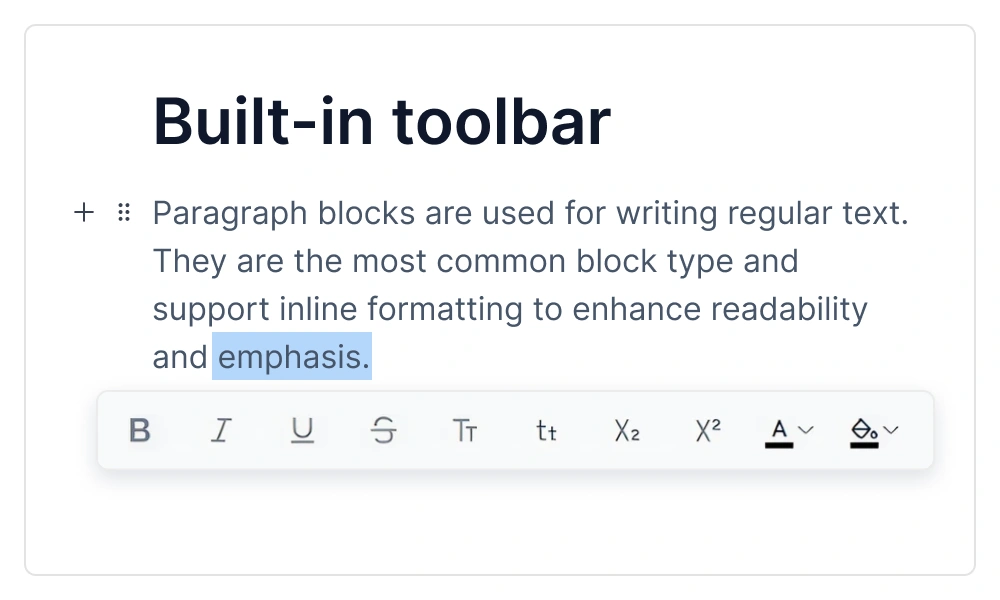
Every edit is tracked
Compare revisions side-by-side and restore previous versions with a single click. Never lose work again.
Publish and reach
every audience
Get your docs in front of the right people, in the right language.
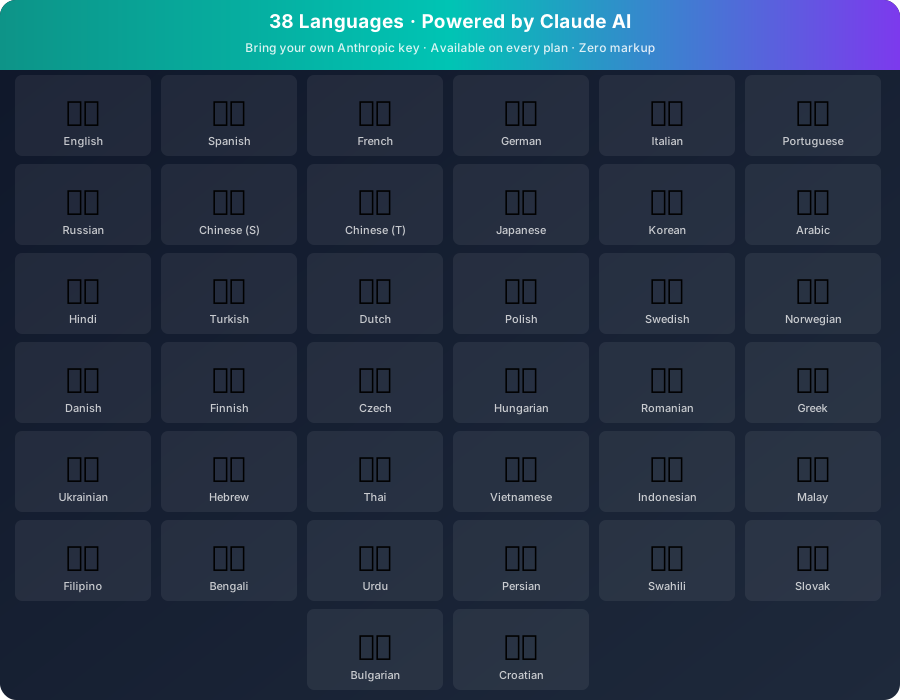
Claude AI translations — 38 languages, every plan
Claude (Anthropic) translates your entire docs site automatically. Bring your own Anthropic API key — you pay Anthropic directly at cost, no markup from us. Translations stay in sync. Custom instructions preserve your brand voice.
Instant, beautiful sites
Every space gets a fast-loading reader site. Publish with one click. Built-in SEO so your docs are discoverable.
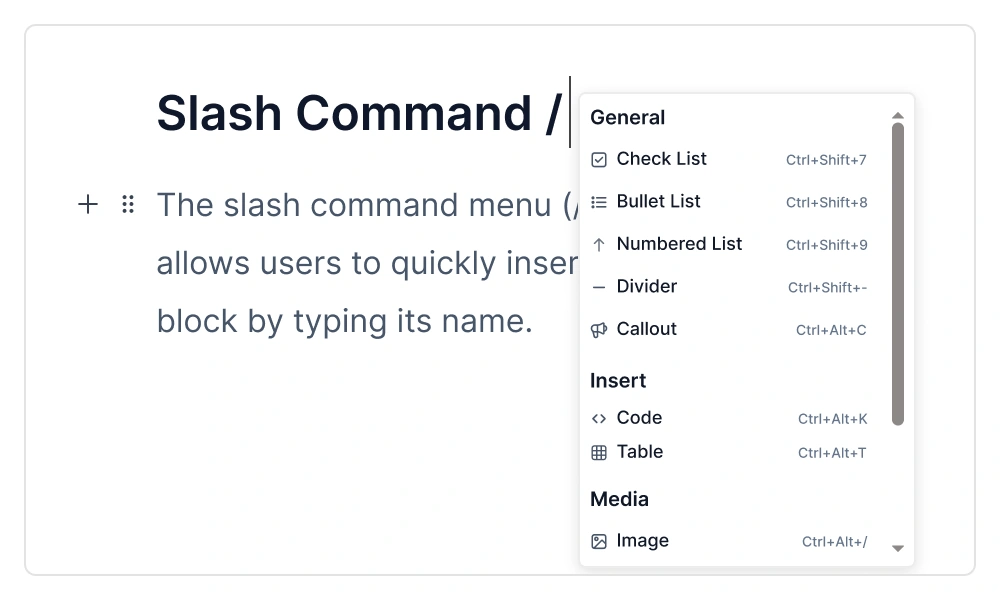
Type / to insert anything
Add headings, tables, code blocks, callouts, and more with a quick slash command.
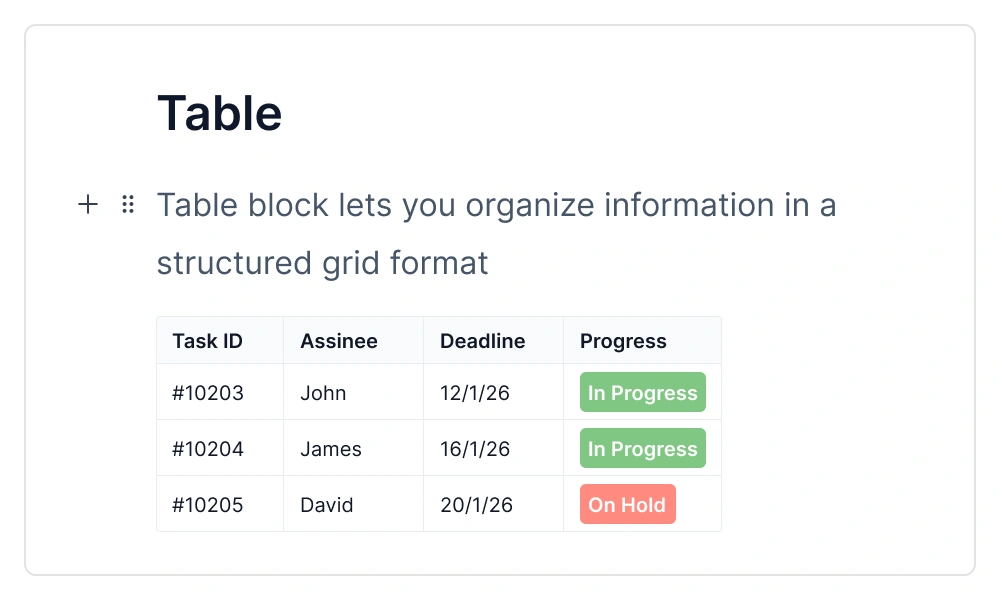
Structured data, made easy
Insert and edit tables with headers, sorting, and clean formatting right in your docs.
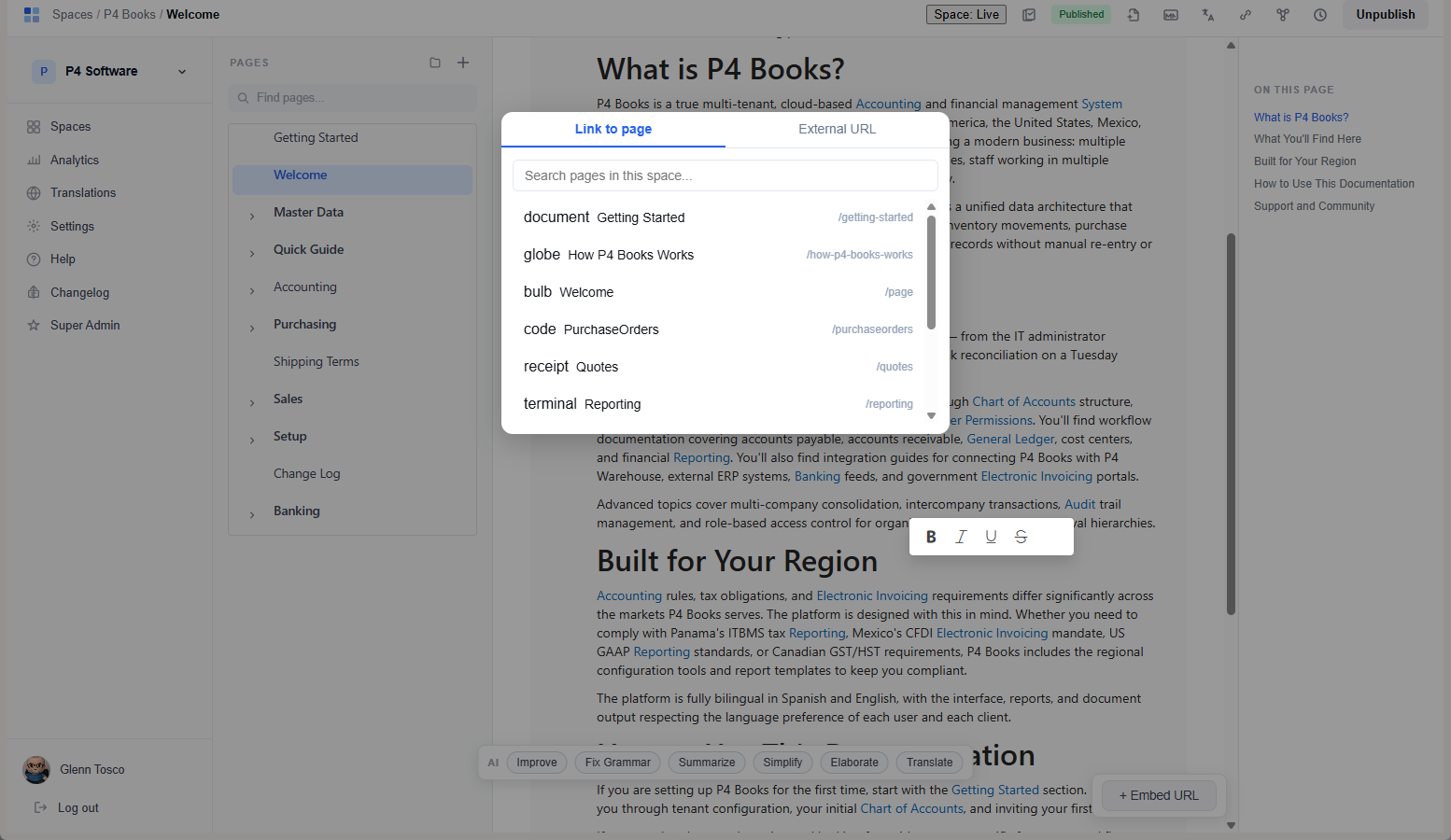
Link anywhere — internal or external
Quickly link to any page in your docs or any external URL. Smart search finds internal pages by title as you type.
Beautiful offline docs
Generate formatted PDFs of any space. Perfect for offline sharing, compliance, or printed materials.
Understand and customise
Know what your readers need. Make your docs look like your brand.
Built-in analytics
Track page views, popular content, and search queries. Understand what your readers need.
Custom domains
Serve your docs from your own domain. Full HTTPS support included.
Custom themes
Customise colours, logos, and fonts to match your brand identity.
Team collaboration
Invite members with roles: Owner, Admin, Editor, Viewer. Everyone sees what they need.
Full-text search
Fast search across all your published content. Readers find answers in seconds.
Security
Hosted on Microsoft Azure. Auth-protected content for private docs.
REST API
Full REST API to manage spaces, pages, users, and content programmatically. Available on Enterprise and Compliance. API reference →
GitHub Sync
Two-way sync between any space and a GitHub repo. Webhooks apply pushes instantly. Page saves auto-commit as Markdown with YAML frontmatter. Available on all plans. Details ↓
Your docs as an
MCP Server
Turn any documentation space into a Model Context Protocol server — so AI agents and coding tools can read your docs directly.
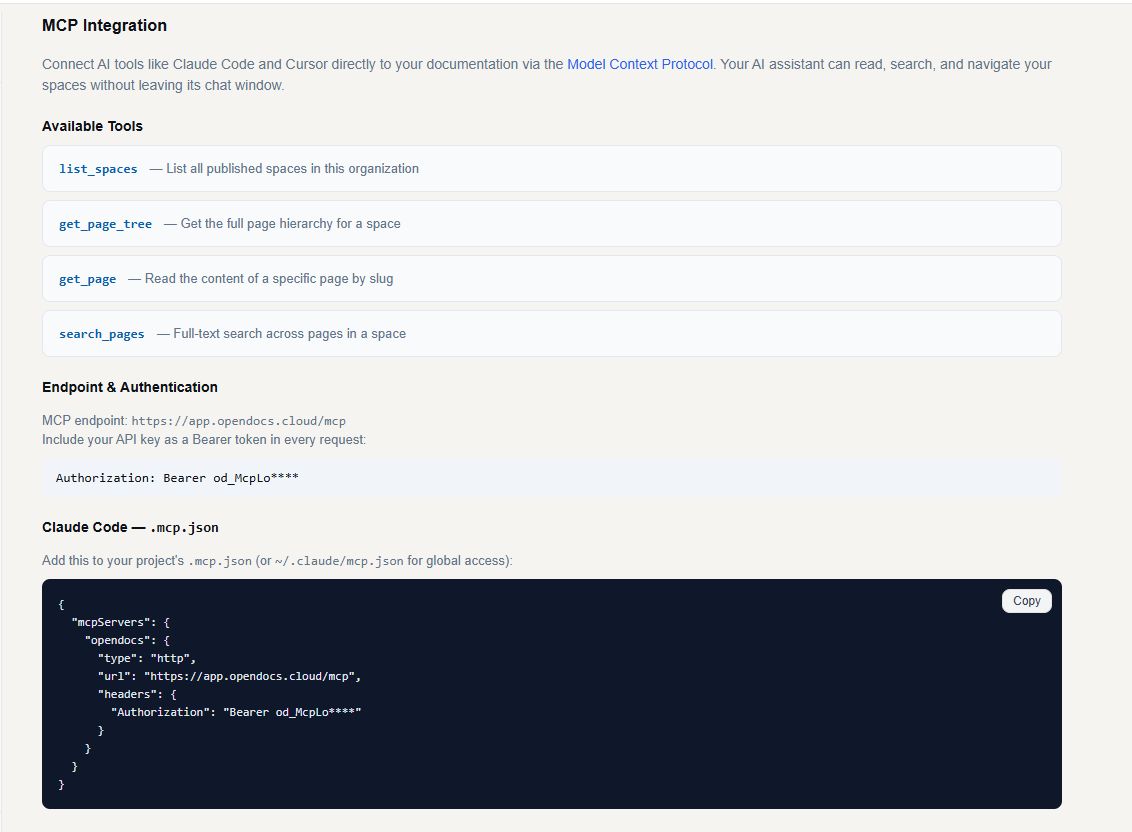
One toggle — your docs become an AI data source
Enable MCP Server on any space and get a ready-to-use endpoint. Connect Claude Code, Cursor, Copilot, or any MCP-compatible agent to your documentation instantly. No extra infrastructure, no API keys to manage — just your docs, always in context.
Start for freeDocs your customers’
AI can read
Every public docs site on a paid plan is also a read-only connection for Claude. Readers add it themselves, no sign-in required, and Claude answers with a link back to the exact page.
Add to Claude, right in your header
Every public docs site on Pro, Enterprise and Compliance — and during your 14-day trial — shows an Add to Claude button with the address and the steps. Readers connect from claude.ai, Claude Desktop or Claude Code; only published pages in public spaces are shared, read-only, and each space has its own switch to turn it off.
See how it worksTwo-way GitHub sync —
every plan
Connect any space to a GitHub repository via a Personal Access Token. Changes flow both ways — docs in OpenDocs, content in Git, with conflict detection so nothing gets silently overwritten.
Push to GitHub, docs update instantly
GitHub sends a push webhook to OpenDocs the moment commits land. OpenDocs fetches changed .md files, parses them, and updates the matching pages immediately. New files create new pages; deleted files are soft-deleted.
Every save commits back to your repo
Page saves trigger a commit to GitHub via the Contents API. Content is stored as Markdown with YAML frontmatter — title, slug, sort order, and parent path. Your docs live in version control, readable and editable by devs and writers alike.
Conflict detection: if both sides changed the same page, OpenDocs flags it. You get a side-by-side comparison in the editor and pick which version to keep — nothing is silently overwritten.
Not just product docs
Teams use OpenDocs for everything from customer-facing documentation to internal standard operating procedures.
Standardise how your company operates
Write step-by-step procedures with the visual editor. Use version history to track policy changes, role-based access to control who can edit vs. view, and PDF export for compliance audits. Every team follows the same playbook.
Let customers help themselves
Build searchable knowledge bases that reduce support tickets. With custom domains and branding, your help center feels like part of your product.